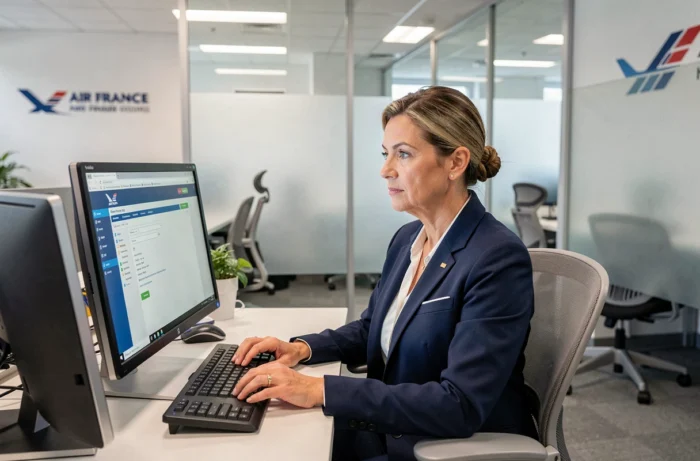
A new Air France employee opens their browser for the first time from home. They enter their employee ID, validate their password, and then get stuck on a PingID error screen. This scene repeats every week in both ground teams and in the cabin because the login procedure for Intralignes has changed since 2024 and old habits no longer work.
VPN iPN, SSO, and PingID: the access chain to Intralignes in 2025
Before 2024, a username and password were enough to access the portal from any workstation. This is no longer the case. Any remote connection now relies on three mandatory steps in a specific order.
The first step is to install and activate the iPN VPN client on their computer. This software creates a secure tunnel between home (or the layover hotel) and the Air France internal network. Without this active VPN connection, the Intralignes portal remains inaccessible.
The second step involves SSO authentication. The employee enters their HR employee ID (six digits) and their Windows Active Directory password. This password is the same as the one used for GPNet and other internal services, which simplifies memorization but requires regular changes according to the expiration policy set by the IT department.
The third step, which causes the most issues for people, is the PingID validation. A notification appears on the smartphone registered in the HRIS, or a temporary code must be entered manually. If the mobile number is not up to date in the HR system, the PingID notification never arrives and the connection fails without an explicit message.
To better understand the connection to Intralignes Air France and its prerequisites, it is important to remember that the order of VPN, then SSO, then PingID is not interchangeable. Launching PingID before the VPN will consistently cause a timeout.

Unified Active Directory password: what it changes in daily life
Since 2024, the GPNet password and the Intralignes password are one and the same. Both are aligned with the corporate Active Directory. In practical terms, when an employee changes their Windows password on their workstation, the new password also applies to GPNet and Intralignes.
This unification has a direct advantage: no need to remember multiple usernames. But it also creates a common trap. An expired password simultaneously blocks all access, including the ability to view pay slips and book GP tickets.
Anticipating password expiration
The system generally warns a few days before the deadline. The reflex to adopt is to change the password from a workstation connected to the internal network (or via iPN VPN), not from the Intralignes login page itself. Changing the password directly on the Windows session of the workstation ensures immediate synchronization with all services.
For GPNet specifically, two-factor authentication involves an SMS code sent to the mobile registered in the HRIS, not via PingID. Thus, two distinct verification methods coexist depending on the portal used, which is a common source of confusion for newcomers.
Resolving connection issues to Intralignes Air France
The majority of access problems stem from three recurring causes. Identifying them before contacting IT support saves considerable time.
- Outdated mobile number in the HRIS: if the smartphone associated with the account is incorrect, neither PingID nor the GPNet SMS code can be delivered. The update can be done through EasyRH or by contacting human resources.
- iPN VPN not connected before the login attempt: the portal then returns a generic error that does not mention the VPN as the cause. Check that the VPN icon is active in the taskbar before entering any credentials.
- Session expired after inactivity: GPNet automatically disconnects after about thirty minutes of inactivity. Intralignes applies a similar timeout. Keeping the tab open without interacting does not maintain the session.
The specific case of remote work
From a home network, some firewalls or antivirus programs block the iPN VPN client. Temporarily disabling the local firewall is not recommended. The solution is to check that the port used by iPN is not filtered by the internet box, or to switch to a shared mobile connection during the initial login.
GPNet and Intralignes: two portals, two distinct uses
Confusing GPNet and Intralignes is common, especially among flight personnel who use both daily. GPNet (accessible via gp.airfrance.fr) focuses on GP tickets, preferential flight bookings, and waiting lists. Intralignes covers the rest: pay slips, schedules, HR information, internal communication, and social benefits.
Both portals share the same Active Directory password, but their two-factor authentication methods differ. GPNet uses an SMS code. Intralignes uses PingID. Attempting to validate GPNet access with PingID (or vice versa) does not work.
- GPNet: employee ID + AD password + SMS code
- Intralignes: employee ID + AD password + PingID validation (notification or temporary code)
- EasyRH: accessible from Intralignes, allows updating personal data without going through HR
Employees who travel regularly should ensure that their smartphone is configured to receive both SMS (for GPNet) and PingID notifications (for Intralignes), including when roaming internationally.
One last practical point: updating their mobile number in the HRIS before changing phones prevents being locked out of both portals simultaneously. Once the number is lost in the system, unlocking it must go through IT support or human resources, with delays that can take several business days.