
Organizing an Android-themed party is not just about sticking a green logo on a white tablecloth. The real starting point is to choose a specific thread within the Android universe: the Bugdroid mascot, the Material You interface with its dynamic color palettes, or the galaxy of Samsung Galaxy and Google Pixel devices. Without this guiding thread, the decoration remains generic and guests do not perceive the coherence of the theme.
Android Decoration: Material You Palette and Concrete Staging
We start with a common problem: buying green accessories “because Android = green,” resulting in a party that looks like a nature theme. To visually anchor the Android universe, we replicate the logic of Material You palette, Google’s design system.
The principle is simple. Choose a dominant color (classic Android green or Pixel blue), then generate two complementary shades, one lighter and one darker. Tablecloths, cups, balloons: a maximum of three colors, never more. This constraint gives an immediately recognizable visual identity.
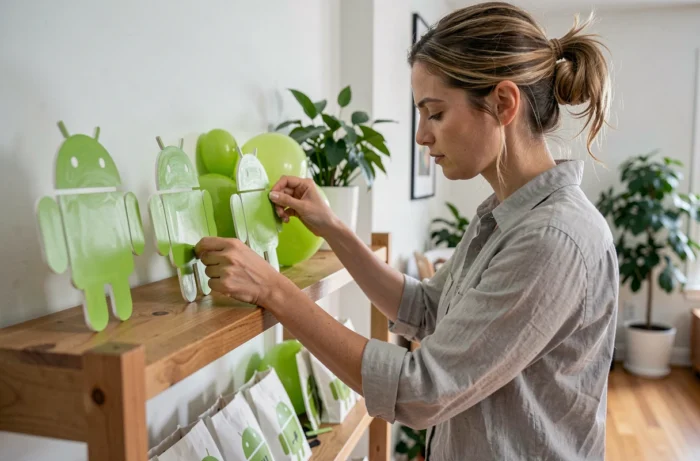
For decorative elements, we print Bugdroid silhouettes in various sizes on cardstock. We attach them to wooden sticks to create cake toppers or centerpieces. Both children and adults recognize the mascot at first glance.
To enhance the detail, table labels featuring the names of Android versions (Cupcake, KitKat, Oreo, Tiramisu) work very well as edible place cards if each name is paired with the corresponding dessert. The resources available on Android Party help structure this type of thematic event with directly applicable ideas.
Smartphone Activities and Interactive Games for an Android Evening
The classic mistake is to plan activities disconnected from the theme. If we are organizing an Android party, the smartphone becomes the central tool for entertainment, not just an accessory.
Android Quiz on the Big Screen
We project a quiz via an Android phone or tablet onto a screen (Chromecast or HDMI cable). The questions cover the history of Android, the code names of versions, and the differences between Samsung Galaxy and Google Pixel devices. Each guest responds from their own mobile. Free apps on the Google Play Store manage scores in real time.
Photo Booth with Custom Android Filters
A dedicated photo corner with an Android device on a tripod transforms a simple photobooth into a brand experience. Software like Pictor offers a native app on Android that allows for the creation of custom graphic overlays: we add Bugdroid frames, Material You backgrounds, and robot-shaped stickers. Guests leave with themed photos sent directly via email or shared through a QR code.
Augmented Reality Treasure Hunt
We hide physical clues around the party venue, and each clue is scanned with the smartphone camera to reveal a message in augmented reality. Several free Android apps manage this mechanism without requiring any technical skills. The activity works well for both children and adults, and a session lasts between twenty and forty minutes depending on the size of the venue.
Android Cake and Buffet: Beyond Just Green Icing
The buffet is where the theme often dilutes the fastest. We often see a cake with a Bugdroid made of fondant, surrounded by chips and sodas with no connection to the theme. A few concrete choices can change the game.
- Pair each dessert with an Android code name: cupcakes labeled “Cupcake 1.5,” chocolate bars “KitKat,” slices of tiramisu “Tiramisu 13.” The buffet tells the story of the versions.
- Use robot-shaped cookie cutters for cookies and sandwiches. The cost is minimal and the visual effect works for all ages.
- Serve drinks in cups labeled with Android app icons (camera, clock, phone), printed on repositionable stickers.
The themed buffet does not cost more than a classic buffet if we focus on presentation rather than special ingredients.
Playlist and Sound Atmosphere: Setting Up Audio from an Android Device
We connect a Bluetooth speaker to an Android phone, thinking the job is done. In practice, the music stops with every notification, the volume varies between tracks, and no one manages the queue.
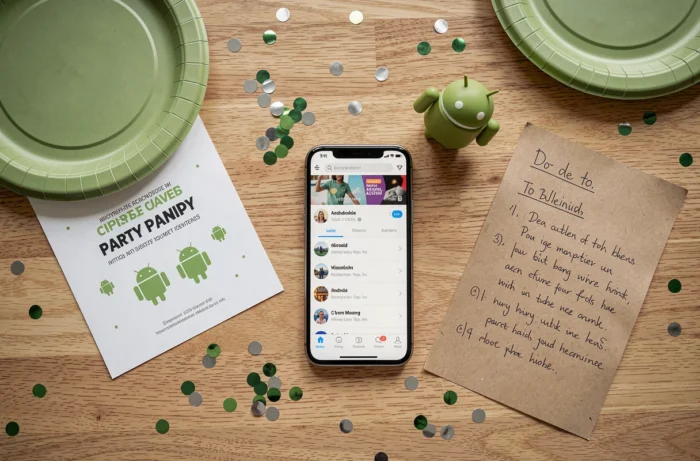
The operational solution: we activate Do Not Disturb mode on the smartphone dedicated to music, which blocks all interruptions. Then, we use a collaborative playlist app. Each guest adds tracks from their own mobile, and the app manages transitions and volume equalization.
To stick to the theme, we can integrate Android notification sounds between tracks by scheduling alarms at regular intervals. This sound detail recalls the Google universe and consistently elicits amused reactions.
- Activate Do Not Disturb mode on the source phone to avoid interruptions.
- Use a collaborative playlist app compatible with Android so guests can participate.
- Schedule Android notification sounds as humorous interludes between tracks.
Digital Invitations and Coordination on the Day with Android Apps
Invitations are often sent via instant messaging, without visuals or structured information. A short video invitation, filmed from an Android smartphone, captures more attention than a text message.
We film a teaser of a few seconds showing the preparations or the Bugdroid mascot with the date and location overlaid. The video editing tool integrated into Google Photos is sufficient for this type of content. We then share via a direct link, without third-party apps.
On the day of the party, a shared list app on Android (Google Keep or equivalent) centralizes remaining tasks: who brings what, who manages the music, who takes care of the cake. Feedback varies on this point, but real-time coordination avoids duplicates and last-minute forgetfulness.
The success of an Android party relies less on the budget than on the coherence between decoration, activities, and technology. A well-executed theme with three colors, a smartphone quiz, and a buffet labeled by Android version leaves a stronger impression than a generic party with a poorly targeted large budget.